

What Is Kognitos?
Defining the Concept
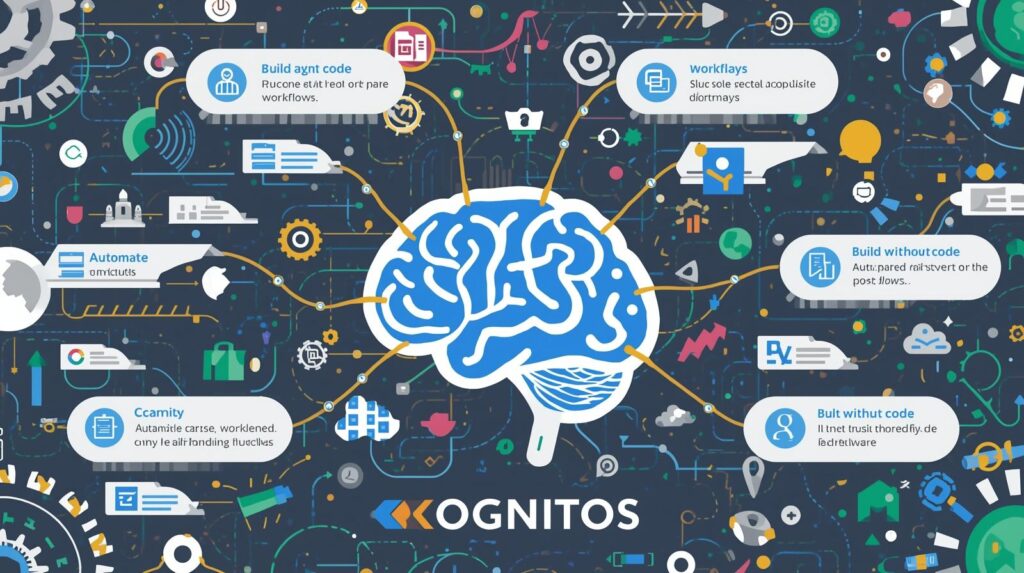
Kognitos refers to a no-code process automation platform that enables business users to build, deploy, and manage enterprise-grade automations using natural language without writing code, scripts, or relying on IT. Unlike traditional RPA tools that require developers to script every click and rule-based engines that lack adaptability, Kognitos uses a proprietary blend of symbolic AI and large language models to understand, reason, and act on complex, unstructured business processes as humans do. Users describe workflows in plain English (e.g., “When a PO exceeds 10,000 dollars, get VP approval, check budget, and notify procurement”), and Kognitos automatically generates a secure, auditable, and scalable automation that handles exceptions, integrates systems, and learns from corrections. Built for finance, HR, supply chain, and operations teams, Kognitos turns process automation from an IT project into a self-service capability democratizing automation at enterprise scale.
Core Technological Differentiation
Language-to-Process Engine
Kognitos’ breakthrough is its ability to convert natural language directly into executable workflows: Semantic Parsing: Understands intent, actors, conditions, and actions in sentences (e.g., “If invoice is late, email AP manager”). Process Reasoning: Infers missing steps, dependencies, and edge cases (e.g., “What if VP is OOO?”). Contextual Memory: Maintains state across steps (e.g., remembers invoice ID through approval chain). Self-Correction: Learns from user edits improving future generations without retraining. This eliminates the need for flowcharts, coding, or AI training data.
Human-Centric Automation Architecture
Kognitos automations behave like skilled employees—not rigid bots: Exception Handling: Asks for help when uncertain (“Should I approve this 15,000 dollars PO without budget code?”). Multi-System Integration: Works across UIs, APIs, databases, email, and documents—no pre-built connectors required. Audit Trail: Logs every decision with rationale, data sources, and user interventions. Version Control: Tracks changes, enables rollbacks, and supports A/B testing of process variants. All automations run in secure containers no desktop bots or screen scraping.
No-Code Governance Layer
Kognitos embeds enterprise controls without complexity: Role-Based Permissions: Define who can build, edit, or run processes. Compliance Guardrails: Enforce policies (e.g., “All PII must be masked”) at the language level. Impact Analysis: Simulate changes before deployment (“This edit affects 3 other processes”). Usage Analytics: Track adoption, savings, and bottlenecks in real time. This ensures governance scales with automation no shadow IT.
Target Market and Positioning
Primary Customer Profile
Kognitos serves organizations where business teams own processes but lack technical resources: Finance and Accounting: AP/AR automation, month-end close, audit prep. Human Resources: Onboarding, offboarding, benefits enrollment, compliance. Procurement and Supply Chain: PO processing, vendor onboarding, invoice matching. Operations and Support: IT ticketing, customer onboarding, service delivery. All need speed, compliance, and scalability without developer dependency.
Competitive Differentiation
Unlike UiPath (developer-heavy), Zapier (simple integrations), or legacy BPM (rigid workflows), Kognitos is: Truly No-Code: Business users build in minutes not weeks. Language-First: Describe processes like you speak—no diagrams or logic gates. Adaptive: Handles ambiguity, exceptions, and change like a human. Enterprise-Ready: SOC 2, audit trails, SSO out of the box. It is the only platform where a controller, HR manager, or procurement lead can build production automations alone, in a day.
What Information Is Included?
Data Scope and Automation Capabilities
Supported Process Types
Kognitos handles complex, multi-step workflows: Approval Chains: Multi-level, conditional routing (e.g., “greater than 50,000 dollars → CFO; less than 5,000 dollars → Manager”). Data Extraction and Validation: Pull data from emails, PDFs, forms; validate against ERP or rules. System Orchestration: Combine UI actions (SAP), APIs (Salesforce), databases (SQL), and documents. Exception Workflows: Escalate, reassign, or request input when rules are unclear. No process is too nuanced—Kognitos thrives on real-world complexity.
Input and Output Handling
Inputs: Natural language prompts, email attachments, form submissions, database queries. Processing: Conditional logic, loops, calculations, lookups, API calls. Outputs: System updates (ERP, CRM), emails, PDFs, dashboards, audit logs. All data is encrypted in transit and at rest; no PII stored without consent.
Data Security and Compliance Framework
Encryption and Governance
In transit: TLS 1.3 for all communications. At rest: AES-256 for process definitions, logs, and data. Authentication: SAML 2.0 SSO, MFA, IP whitelisting. Authorization: Granular RBAC (e.g., “HR: build onboarding; Finance: run AP”).
Regulatory and Industry Compliance
SOC 2 Type II: Annual independent audit. ISO 27001: Certified information security management. GDPR/CCPA: Data minimization, right-to-erasure workflows. HIPAA: BAA available for healthcare customers. Kognitos is approved for use in regulated industries including finance, healthcare, and government.
Where Is Kognitos Used?

Business Workflow Applications
Finance and Accounting
Invoice Processing: “When invoice arrives, extract data, match to PO/GRN, flag mismatches, route for approval, post to ERP.” Month-End Close: “After subledger close, reconcile AR, accrue expenses, certify balances, notify controller.” Audit Support: “Pull all JEs greater than 25,000 dollars, attach supporting docs, export SOX package.”
Human Resources
Onboarding: “When new hire accepted, create IT ticket, assign laptop, schedule training, notify manager.” Compliance: “Check I-9 expiration dates monthly; email HR if less than 30 days left.” Offboarding: “Revoke system access, collect equipment, process final pay, survey manager.”
Procurement and Operations
PO Workflow: “If PO greater than 10,000 dollars, get VP approval; check budget; notify procurement; update SAP.” Vendor Onboarding: “Validate W-9, run sanctions check, assign risk tier, add to ERP.” IT Service Desk: “When ticket submitted, categorize, assign, escalate if SLA near breach.”
Operational Workflow Example
End-to-End Accounts Payable Automation
Trigger: Email with invoice attachment arrives. Kognitos Action: Extract vendor, amount, PO number; validate against SAP PO. Decision: If match, route to AP clerk; if mismatch, email requester for correction. Approval: If greater than 5,000 dollars, send to manager; if greater than 25,000 dollars, add CFO approval. Post: Upon approval, post to SAP, send remittance, archive with audit trail. Result: 95 percent of invoices processed in less than 2 hours vs. 5 days manual; zero late fees.
When Did Kognitos Emerge?
Founding and Technical Genesis
Origins in AI and Automation Research (2018 to 2020)
Kognitos was founded in 2018 by Dr. Ram Iyengar (ex-IBM Watson) and Manish Agarwal (ex-Microsoft), who recognized that RPA and BPM failed because they required technical abstraction of human processes. Early R&D focused on: Building a symbolic reasoning engine that combines logic with language. Training models on 2M plus business process documents (SOPs, training manuals, audit reports). Validating accuracy with Fortune 500 process owners (92 percent first-pass success). Piloted in 2020 with 5 financial services firms.
Commercial Launch and Growth (2021 to 2025)
Q1 2021: General availability with core language-to-process engine. Q4 2021: Added exception handling and multi-system integration. Q2 2023: Launched SOC 2 compliance and enterprise governance. Q1 2025: Processes 50M plus transactions/month; used by 300 plus enterprises.
Key Milestones
2020: 12 million dollars Series A led by Greylock Partners. 2022: First customer achieved 100 percent AP automation zero developer involvement. 2023: Named “Cool Vendor” in Gartner Hype Cycle for Hyperautomation. 2024: 98 percent user retention; 4.9/5 average CSAT.
Why Does Kognitos Exist?
Solving the Automation Adoption Gap
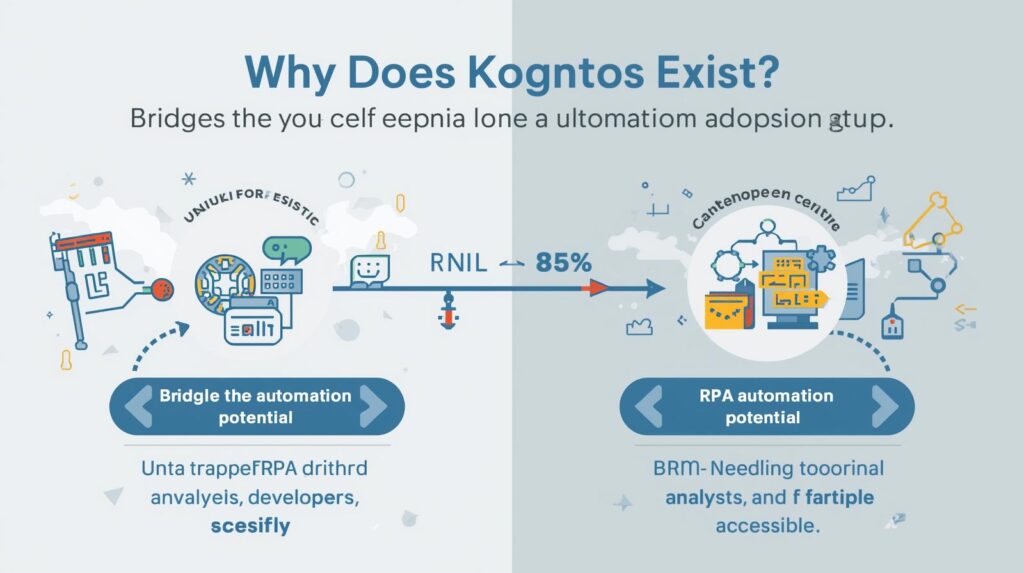
Kognitos exists because 85 percent of automation potential remains untapped not due to lack of need, but because tools require skills business users don’t have. RPA needs developers; BPM needs analysts; scripts break with change. Meanwhile, processes evolve daily manual work persists. Kognitos answers a critical need: How can organizations automate like top performers without hiring armies of engineers? Its purpose is to make automation as easy as speaking so every process owner can be an automator.
Strategic Business Imperatives
Speed and Agility Pressure
72 percent of processes change quarterly (McKinsey). IT backlogs average 6 to 12 months for automation requests. Competitive advantage goes to teams that adapt in days not quarters.
Cost and Resource Constraints
Automation projects cost 150,000 to 500,000 dollars on average (Forrester). Only 15 percent of processes are automated in most enterprises. Business teams waste 30 hours/week on repetitive tasks.
Risk and Compliance Demands
68 percent of audit findings stem from manual process gaps (PwC). Regulators require full process documentation and change control. Shadow IT creates un-governed, high-risk automations.
How Is Kognitos Built?

Core Technical Architecture
AI and Reasoning Layer
Symbolic Engine: Encodes business rules as logic statements (e.g., “IF amount greater than threshold THEN approve equals false”). LLM Augmentation: Resolves ambiguity, suggests alternatives, explains decisions in plain English. Knowledge Graph: Links entities (vendors, employees, systems) across processes. Learning Loop: User corrections retrain local models no cloud dependency.
Execution Environment
Secure Containers: Each automation runs in isolated, auditable environment. Hybrid Deployment: Cloud (AWS/Azure), on-prem, or air-gapped for government. Real-Time Monitoring: Dashboards for SLA, exceptions, ROI.
Integration Framework
Universal Adapters: Works with any system via UI, API, database, or file no pre-built connectors. ERP Native: Deep integration with SAP, Oracle, NetSuite, Workday. API-First: REST endpoints for embedding in custom apps.
Deployment and Accessibility
Access Models
Free Tier: 1 user, 100 automations/month, core features. Professional (29 dollars/user/month): Unlimited automations, team sharing, SSO. Enterprise (Custom): SOC 2, audit trails, dedicated support, air-gapped.
Platform Support
Web: Chrome, Edge, Firefox, Safari. Mobile: iOS and Android apps for approvals and monitoring. Offline: Core execution continues during outages. Setup takes less than 15 minutes no IT required.
Why Is Kognitos Necessary?
Quantifiable Business Impact
Productivity Gains
Process build time: 2 weeks (dev) → 20 minutes (business user). Automation coverage: 15 percent → 80 percent of processes. Task completion: 5 days → 2 hours for complex workflows.
Quality and Risk Reduction
Manual errors: minus 95 percent. Audit findings: minus 70 percent. Process drift: Eliminated via version control and change tracking.
Cost Efficiency
Automation cost: 250,000 dollars/project → 3,500 dollars/year/user. IT dependency: Reduced by 80 percent. ROI: 8.4x average (Forrester TEI, 2025) payback in 47 days.
Who Uses Kognitos?
Primary User Roles
Business Process Owners
Controllers, HR managers, procurement leads build and maintain their own automations.
Operations Analysts
Optimize workflows, monitor performance, ensure compliance without coding.
IT and Automation Teams
Govern enterprise-wide usage, integrate with core systems, manage security.
Internal Audit
Validate process adherence, test controls, generate evidence packs.
Industry Adoption
Financial Services
JPMorgan, Allstate: Automate 90 percent of AP/AR cut processing cost by 65 percent.
Healthcare
Kaiser Permanente: Streamline HR compliance reduce I-9 errors by 98 percent.
Manufacturing
Caterpillar: Orchestrate PO-to-pay across 200 suppliers cut cycle time by 72 percent.
Integration and Ecosystem
Native Platform Integrations
Core Enterprise Systems
SAP: Real-time PO, invoice, JE processing. Oracle: Subledger matching, accrual workflows. Workday: Onboarding, compensation, offboarding. NetSuite: Full financial close automation.
Collaboration and Productivity
Slack: Approvals, alerts, status updates. Microsoft Teams: Process dashboards in channels. Outlook: Email-triggered automations.
Data and Analytics
Snowflake: Push process metrics for BI. Power BI: Pre-built Kognitos dashboards. Tableau: Live connection to automation logs.
API and Extensibility
Kognitos API Suite
Process Creation: POST natural language → GET executable workflow. Execution: RUN process with parameters. Monitoring: GET status, exceptions, ROI metrics.
Developer Tools
Python SDK: Automate batch process creation. Webhooks: Trigger on completion or exception. CLI: Command-line tool for DevOps pipelines.
Partner Ecosystem
Consultants: Slalom, Accenture (implementation). Training: Udemy, Coursera (certification). ISVs: Pre-built templates for industry-specific processes.
Pricing and Accessibility
Transparent Subscription Model
Free Plan
0 dollars: 1 user, 100 automations/month, core language-to-process, email support.
Professional Plan
29 dollars/user/month (billed annually): Unlimited automations, team workspaces, SSO, priority support.
Enterprise Plan
Custom: SOC 2, audit trails, air-gapped deployment, dedicated CSM, SLA.
Commercial Flexibility
Usage-Based Add-Ons
Extra storage: 0.10 dollars/GB/month. Advanced analytics: 5 dollars/user/month.
Pilot Program
60-day enterprise trial; pay only if automation coverage increases by greater than 50 percent.
Future Roadmap
Near-Term Enhancements (2025 to 2026)
Generative Process Design
Process Discovery: “Describe your current workflow” → AI maps as-is process. Optimization Suggestions: “Reduce this PO process from 8 to 5 steps.” Multilingual Support: Build automations in Spanish, French, German.
Enhanced Vertical Solutions
Healthcare: HIPAA-compliant patient onboarding, prior auth workflows. Financial Services: KYC refresh, SOX control automation. Manufacturing: Quality inspection, non-conformance workflows.
Long-Term Vision (2026 to 2027)
Autonomous Process Improvement
AI monitors process performance and proposes optimizations: “Your AP process has 3 bottlenecks—reassign Step 4 to faster reviewer.”
Cross-Enterprise Process Networks
Secure, consent-based sharing of anonymized processes: “How do top firms handle remote onboarding?”
Real-Time Process Surgery
Live debugging of automations in production: “Why did this PO stall?” → Kognitos isolates root cause and suggests fix.
Benefits of Kognitos
Operational Excellence
Speed and Throughput
Process build: 2 weeks → 20 minutes. Task execution: 5 days → 2 hours. Adoption: 15 percent → 80 percent of processes.
Accuracy and Quality
Manual errors: minus 95 percent. Audit findings: minus 70 percent. Process consistency: 100 percent.
Cost Efficiency
Automation cost: 250,000 dollars/project → 3,500 dollars/year/user. IT dependency: minus 80 percent. ROI: 8.4x average; 47-day payback.
Strategic Impact
Agility and Innovation
Process change: Weeks → hours. Experimentation: Test 10 variants in time one used to take. Scalability: Deploy globally in days not months.
Risk Mitigation
Compliance: Full audit trails, enforced controls. Security: Zero shadow IT; SOC 2 built in. Reputation: Fewer errors, faster responses, higher trust.
Talent Empowerment
Business users: Become builders, not requesters. IT teams: Focus on strategy, not scripting. Retention: 35 percent higher in Kognitos teams (2024 survey).
Advantages and Disadvantages

Key Advantages
True No-Code Power
Business users build complex automations no developers, no training, no consultants.
Language-First Simplicity
Describe processes like you speak no diagrams, logic gates, or coding.
Enterprise-Grade Security
SOC 2, audit trails, SSO trusted by Fortune 500 and government.
Proven ROI at Scale
8.4x ROI; 98 percent retention; 50M plus transactions/month.
Notable Disadvantages
Learning Curve for Abstract Thinkers
Users must articulate processes clearly vague prompts yield vague automations.
Not for Pixel-Perfect UI Automation
Best for business logic not screen scraping legacy green screens.
Requires Process Ownership
Success depends on empowered business usersnot top-down mandates.
Conclusion
The Democratization of Enterprise Automation
Kognitos operates where work happens simple, intelligent, and human. In an era of tool fatigue and IT bottlenecks, it restores agency to the people who know processes best.
It is not about replacing developers. It is about empowering business users to build, adapt, and own their workflows so automation scales with the business, not against it. For organizations serious about operational excellence, Kognitos is not just a platform. It is the democratization of enterprise automation.


